

WordPress 7.0, released on the platform’s 23rd anniversary, introduces real-time collaboration and a layer of AI infrastructure rather than a ready-to-use AI assistant. The update adds a Connectors Hub for API keys, a unified AI Client, and an Abilities API that governs what actions AI can perform within the platform.
Hands-on testing of the official AI plugin found most features — title suggestions, tag recommendations, alt-text generation — functional but limited in practical value. The broader significance lies in the foundation laid for plugin developers, which may improve AI integration across the ecosystem over time, much as the REST API did years earlier.
WordPress was created by Matt Mullenweg and Mike Little and launched on 27 May 2003 — making today its 23rd anniversary, to the day.
Apart from old salts like me who still use it daily, plenty of people wrote WordPress off as outdated long ago. Last week, WordPress 7.0 — codenamed Armstrong, a tribute to jazz legend Louis Armstrong — shipped with a suite of generative-AI features. Is this a has-been uncle dressing up in trendy clothes, all awkward imitation? Or a veteran NBA player who’s just been paired with a hot rookie, suddenly dangerous again?
I’ve gone in first: I upgraded my blog, ckxpress.com, and took it for a spin. Here are my first impressions.
Collaboration Arrives, AI Gets Integrated
WordPress launched the Gutenberg project back in 2017, a four-phase plan to overhaul the core. Phase one was the block editor (the kind that treats text, images, video and other elements as “blocks” — nothing to do with blockchain), rolled out gradually from 2018. Phase two was full-site editing, introduced in early 2022 and steadily strengthened since. Last week’s WordPress 7.0 raises the curtain on phase three: real-time collaboration.
Back in 2005, the startup Writely already supported collaborative, real-time writing; after Google acquired it, the result launched in 2006 as the now-familiar Google Docs. Two decades on, WordPress has finally filled in the collaboration gap — better late than never. The irony, though, is that even though ckxpress.com has run on WordPress for 21 years, it’s always been a one-man band. I have no one to collaborate with. Then again, if I really needed multi-user collaboration, I’d probably have jumped ship long ago.
Of the entire Gutenberg roadmap, the feature I’m most looking forward to — multilingual support — got bumped all the way to phase four, which doesn’t even have a concrete development timeline yet. The saving grace is that whatever the core lacks can almost always be patched in with a plugin. That’s precisely where WordPress’s strength lies. ckxpress.com needs English support, so a little over three years ago I evaluated a few multilingual plugins, settled on Polylang, and documented the whole process.
Polylang only provides the framework — you still have to supply the text yourself. So while choosing a translation plugin, I also evaluated three translation helpers: Google Translate, DeepL and ChatGPT. At the time, ChatGPT had only been out for half a year and the other large language models hadn’t yet found their feet, but it was already enough for me to conclude, beyond doubt, that generative AI was far stronger than the old-school translation software.
Not long after that, whenever I wasn’t being lazy, I’d put out an English version of my weekly newsletter. AI translation may have saved me 99% of the effort, but even so — pasting the article into a chatbot (ChatGPT at first, then Gemini, then Claude), reviewing and revising it (more edits were needed early on, though it kept improving), pasting the text back into WordPress, restoring the images and any formatting lost along the way — it all still adds up to a chore. With a piece like 當《尋秦記》項少龍穿越回秦代搞維穩, I just can’t muster the enthusiasm to do all this work that will probably go unread anyway.
By integrating AI, WordPress 7.0 lays the groundwork to drastically simplify all of the above — handled entirely in the back end.
It’s the Plumbing and Wiring, Not the Appliance
That said, if you think upgrading to WordPress 7.0 means you’ll have an AI assistant standing by, ready to take your orders, you’re in for a disappointment.
True to WordPress’s longstanding philosophy, what it offers is the plumbing and wiring, not the appliance itself. Applied to AI, that principle takes the form of three things:
- Connectors Hub: a central settings area where you enter the API keys for AI services, to be shared across all plugins.
- AI Client: a unified programming interface so that plugins calling AI don’t each have to rewrite their own.
- Abilities API: defines what actions AI is allowed to take within WordPress — reading posts, changing categories, generating summaries, and so on — while controlling permissions.
The Connectors Hub supports Anthropic, Google and OpenAI out of the box; I plugged in my Anthropic API key. For image generation, you can use the latter two.
It’s a sensible, clever design — but a curious one, and as a result it leaves the average user thoroughly unmoved. It’s a bit like when the REST API was first added: ordinary people felt it had nothing to do with them, yet two or three years later nearly every modern plugin, mobile app and headless architecture relied on it. The AI infrastructure will probably follow a similar path: no one feels it when it first arrives, but after a while the AI plugins across the ecosystem will all become more usable, cheaper and more integrated thanks to this foundation.
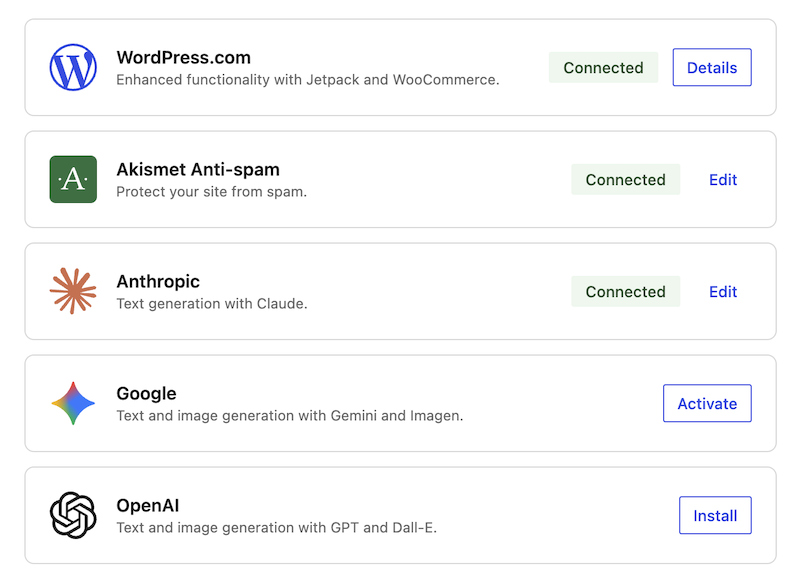
Still, before the plugins you actually use add support for the AI infrastructure, you can dip a toe in via the official AI plugin. Once you’ve filled in the API key and installed it, you can switch on whatever you like in the settings — title generation, cover images, summaries, and more. For testing purposes I turned everything on; here are a few of those features, tried out directly on Chinese version of this very article.
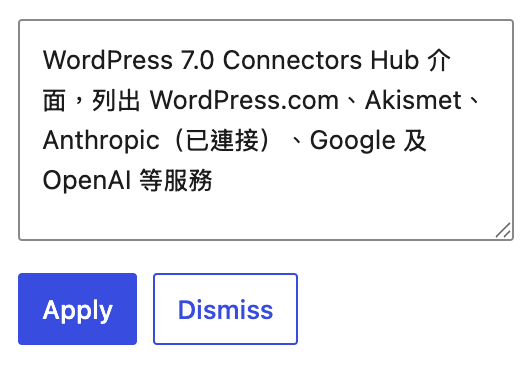
- Alt-text suggestions: regular readers don’t see alt text, but it helps search engines. Filling it in image by image is a pain, so I usually leave it blank — exactly the kind of thing best left to AI.
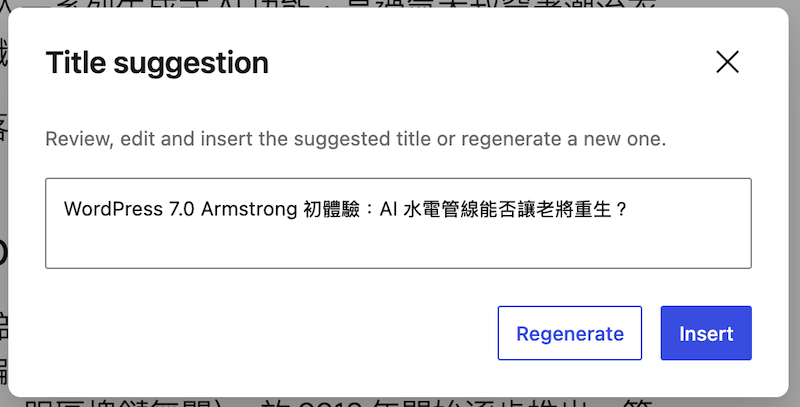
- Title suggestions: useful but basic. If I genuinely wanted AI’s input, I’d ask it for several at once, then pick and tweak.
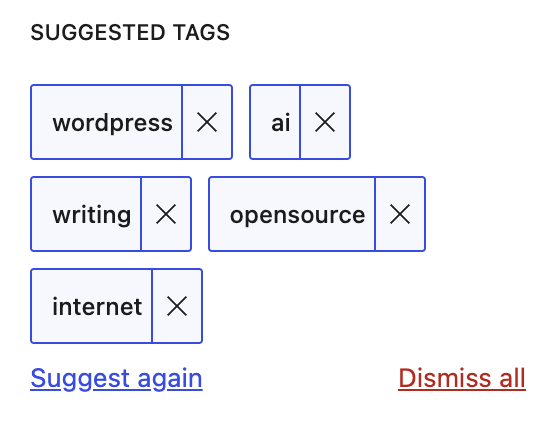
- Tag suggestions: not bad. I might keep using this one.
- Paragraph expansion: beyond padding out a word count for a fee, I have no idea what this is for. Who actually writes like this? I’d have to seriously consider cutting them off.
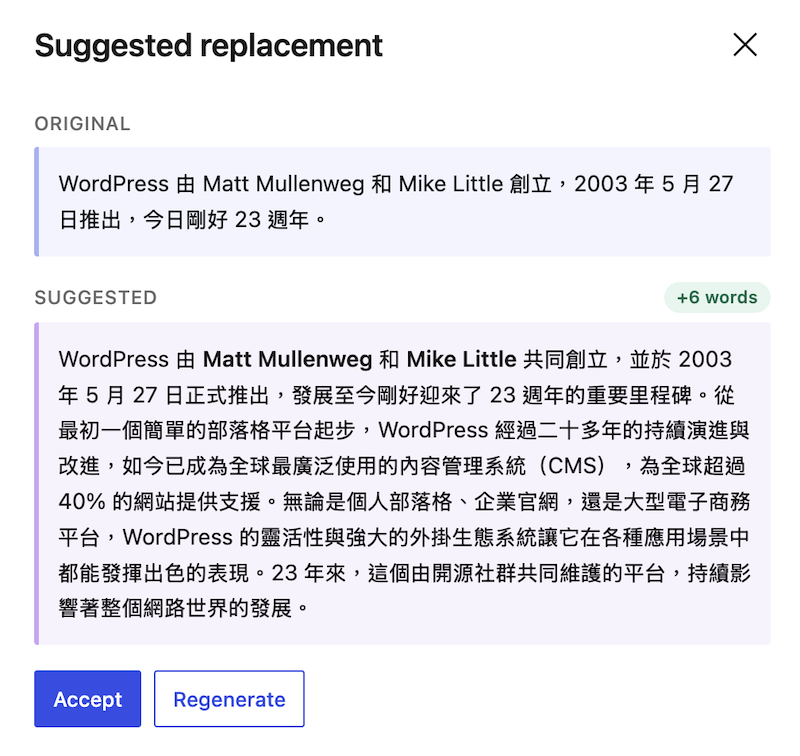
There’s a whole pile of other features, and honestly, most are useless to me. I resist leaning on AI during the actual writing process — and yet the one feature I need most, translation, is the one it doesn’t offer. But that’s no fault of its own: the AI plugin ought to stick to basic editing functions. Once plugins like Polylang add AI translation, maintaining a multilingual site will become a breeze.
As infrastructure, what WordPress 7.0 provides is an AI foundation. It may not help much for now, but as plugin developers ship updates and the Abilities API gets put to wider use, WordPress will be able to keep up with the times and endure.
p.s. While WordPress is busy adding AI infrastructure, over on the other side Cloudflare simply vibe-coded an entirely new content management system called EmDash. Following company tradition, it was released on 1 April — but it’s no April Fools’ joke; it’s positioned as the “spiritual successor to WordPress.” I’ve always admired Cloudflare’s products, but I’m not about to run experimental new software on my own blog.


Leave a Reply